TECHNICAL SPECIFICATION · PRODUCT ARCHITECTURE

From Workshop Modeling to Auditable In-Field Control

BowTie Easy is not a generic drawing application: it is an integrated barrier governance system connecting the interactive BowTie canvas with CCPS-grounded LOPA datasheets, operational field verification schedules, and audit-ready reporting dossiers.

100% Client-Side (Zero cloud server dependency)CCPS / Energy Institute (2018)ICMM Critical Control Management (2026)
01.VIEW-CANVAS

The BowTie Canvas: Connected Real-Time Data Model

Structured visual construction separating proactive initiating threat pathways from reactive consequence mitigation sequences. Every node in the diagram represents a living data entity in the model schema rather than a static vector drawing.
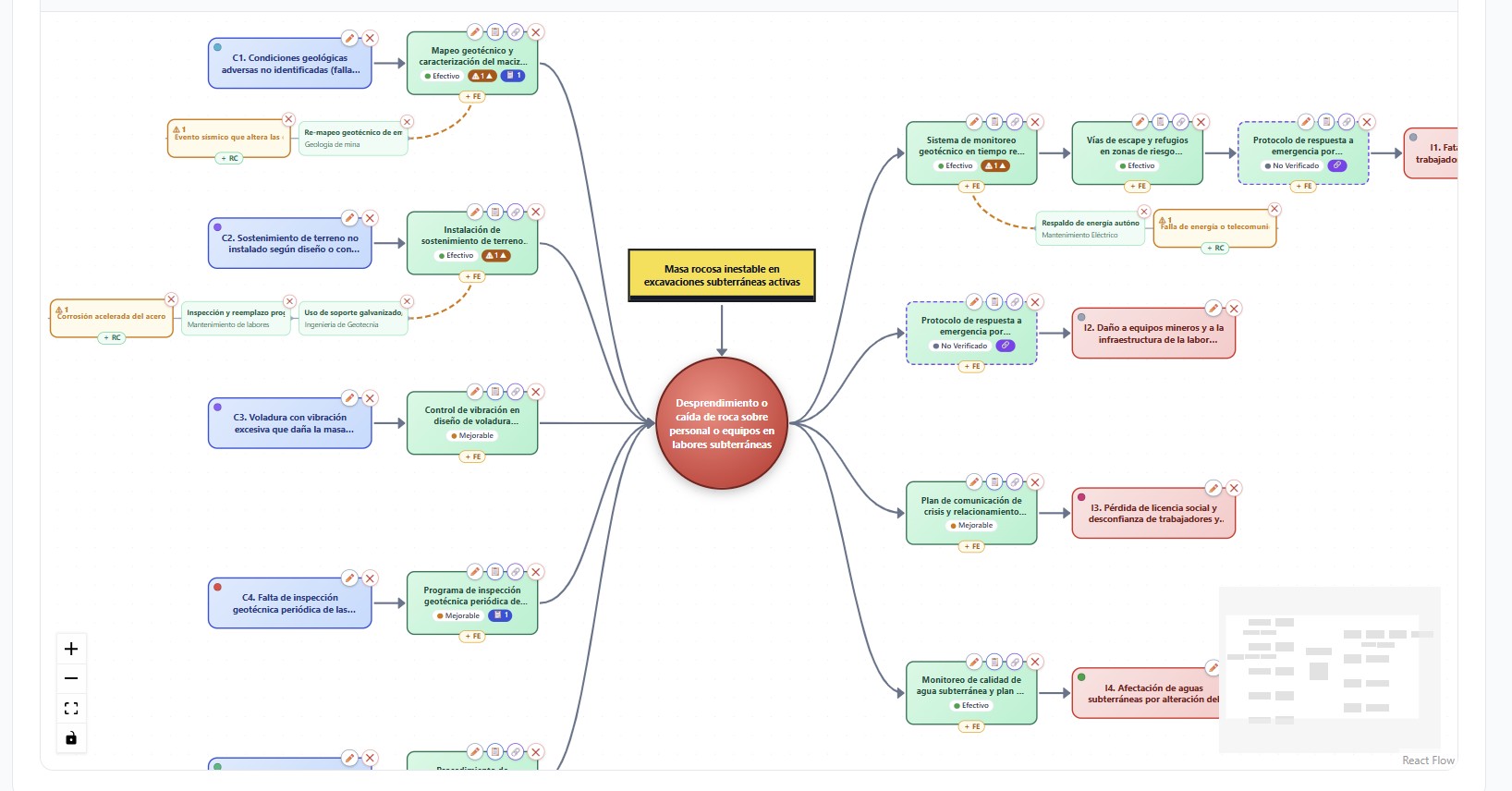
Directly links escalation factors to primary barriers with dedicated secondary degradation controls, preventing hidden vulnerability build-up.
BowTie Easy vector canvas displaying initiating threats, safeguards, escalation factors, and consequence pathways
Fig. 1 — Interactive vector canvas with bi-directional barrier properties inspector.100% Client-Side Processing
02.VIEW-INVENTORY

Master Safeguard & Critical Control Register

Centralized consolidation of all operational safeguards into a single auditable facility register. Enables multi-variable filtering by barrier category (hardware, procedural, human), criticality rating, and current operational health status.
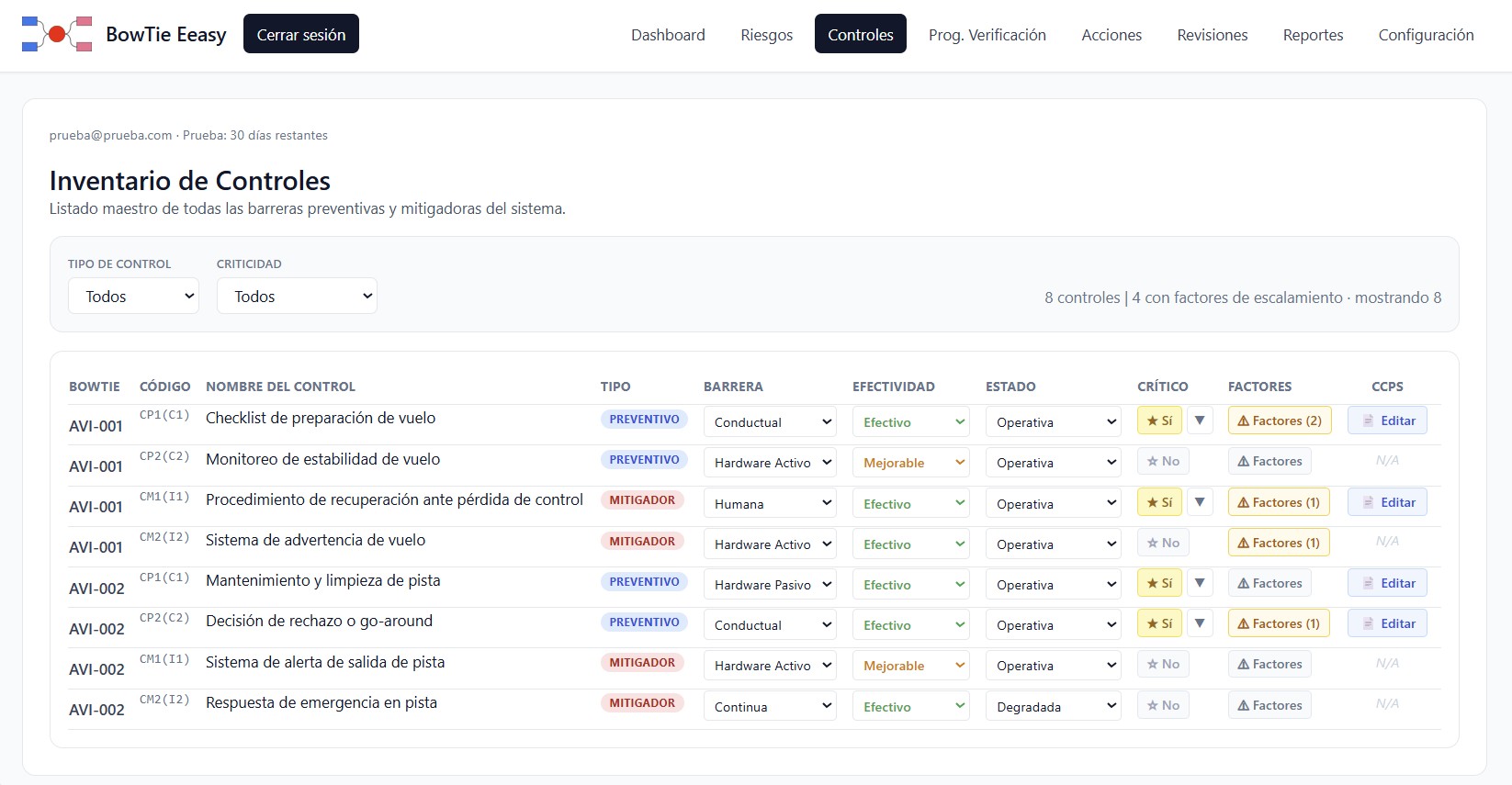
Updating barrier criticality, ownership, or test criteria in the master register propagates instantly across all facility BowTie diagrams where the control is deployed.
Master safeguard inventory and control register in BowTie Easy
Fig. 2 — Centralized safeguard register with real-time operational status and ownership tracking.100% Client-Side Processing
03.VIEW-LOPA

Critical Control Datasheet & LOPA Validation

Rigorous evaluation of each barrier against CCPS Independent Protection Layer (IPL) criteria and ICMM Critical Control Management guidance. Full formalization of the Detect → Decide → Act actuation sequence.
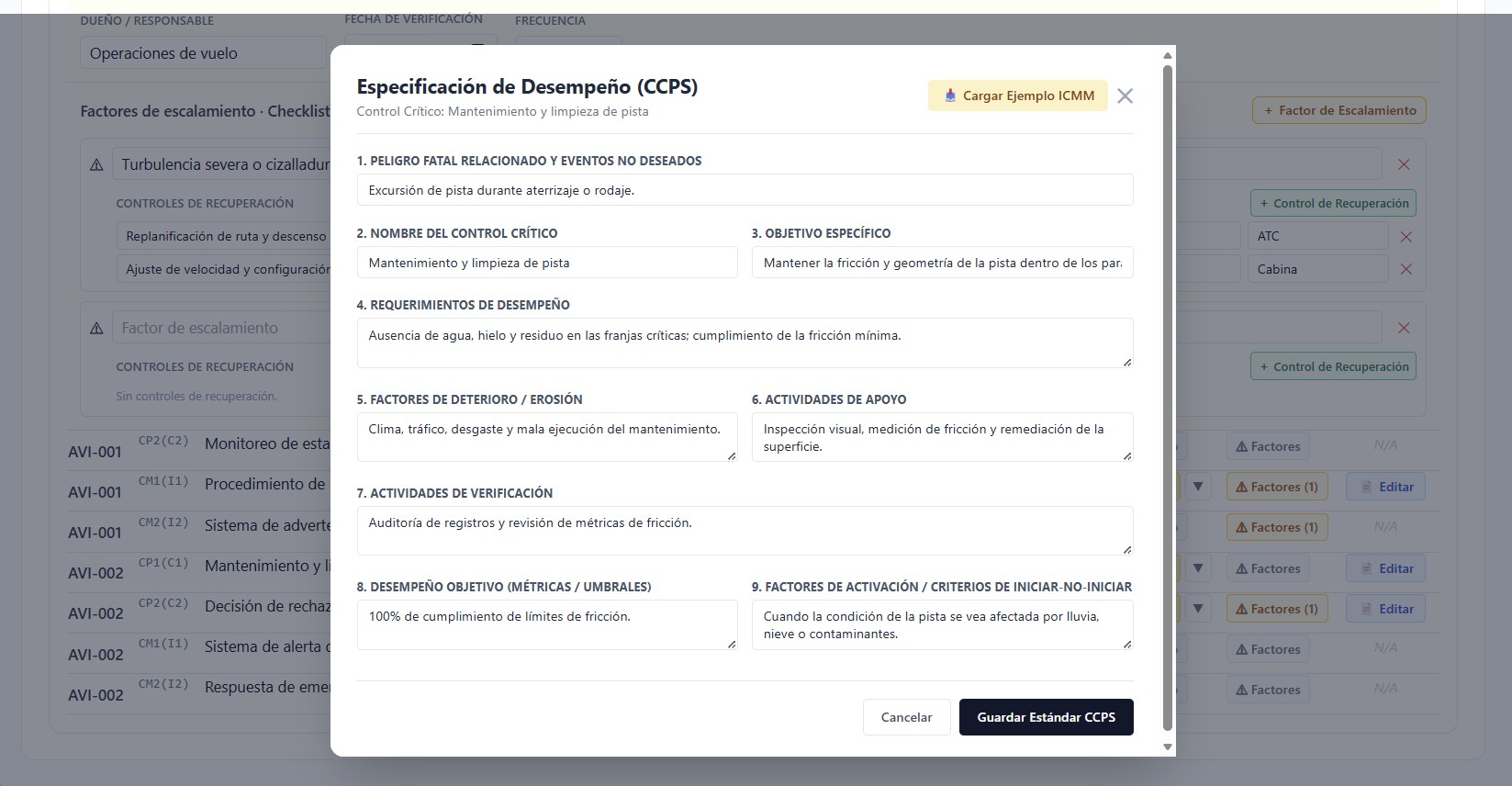
Defines auditable performance standards, target probability of failure on demand (PFD), single accountable control owner, and concrete field trigger levels.
LOPA and CCPS critical control specification sheet in BowTie Easy
Fig. 3 — LOPA datasheet formalizing Detect-Decide-Act loops and auditable performance standards.100% Client-Side Processing
04.VIEW-CCV

Critical Control Verification (CCV) Schedule

Structured in-field inspection planning to audit and verify that critical controls remain fully operational and have not suffered unmonitored degradation during routine operations.
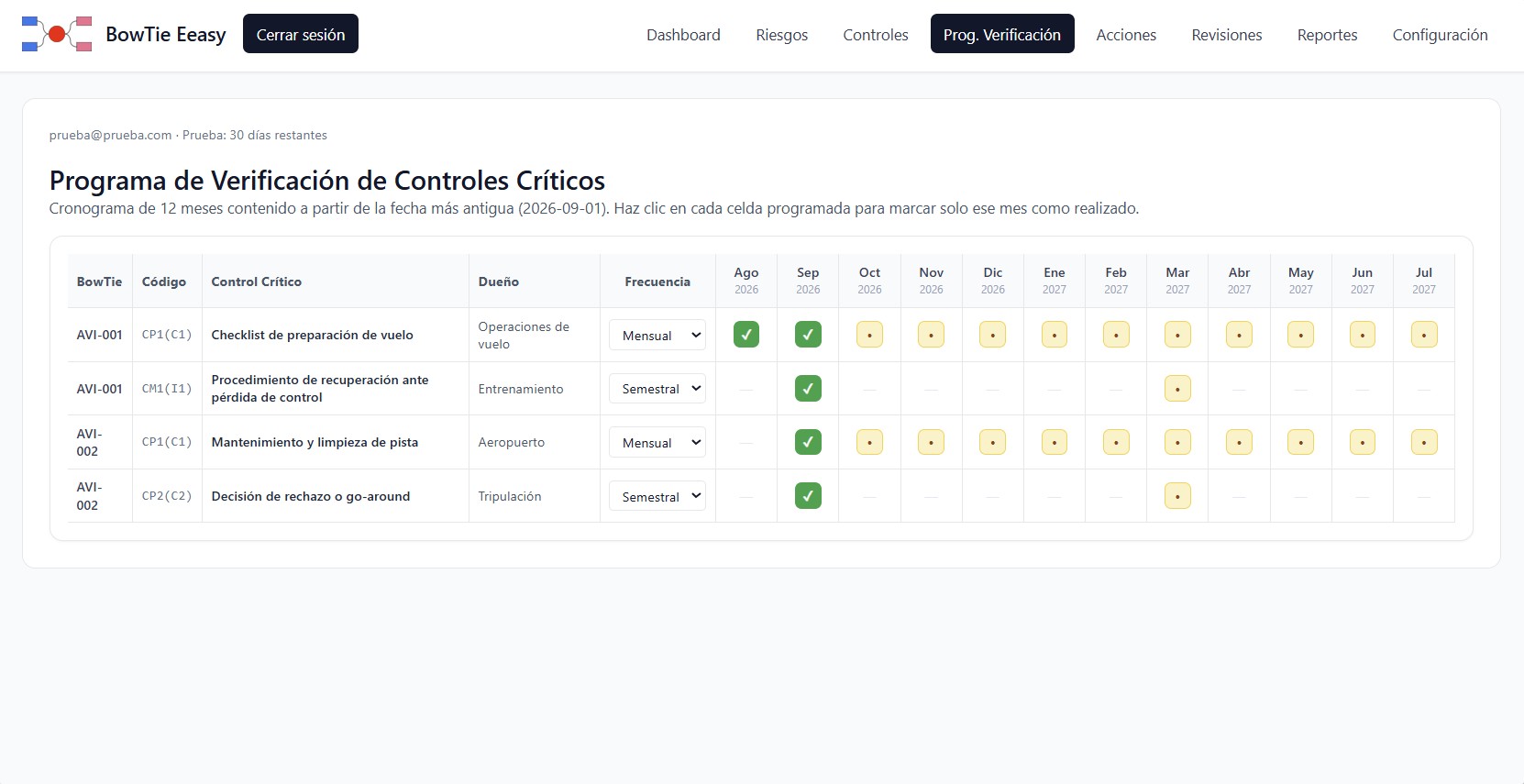
Assigns recurring inspection intervals, qualified verification leads, and concrete field test verification questions tailored to each safeguard specification.
Critical control verification program and audit schedule in BowTie Easy
Fig. 4 — Operational verification schedule aligned with ICMM Critical Control Management protocols.100% Client-Side Processing
05.VIEW-REPORTS

Executive Dossiers & PDF / Excel Data Export

Instant generation of comprehensive regulatory compliance and hazard exposure dossiers for executive committees, process safety boards, and statutory audit bodies.
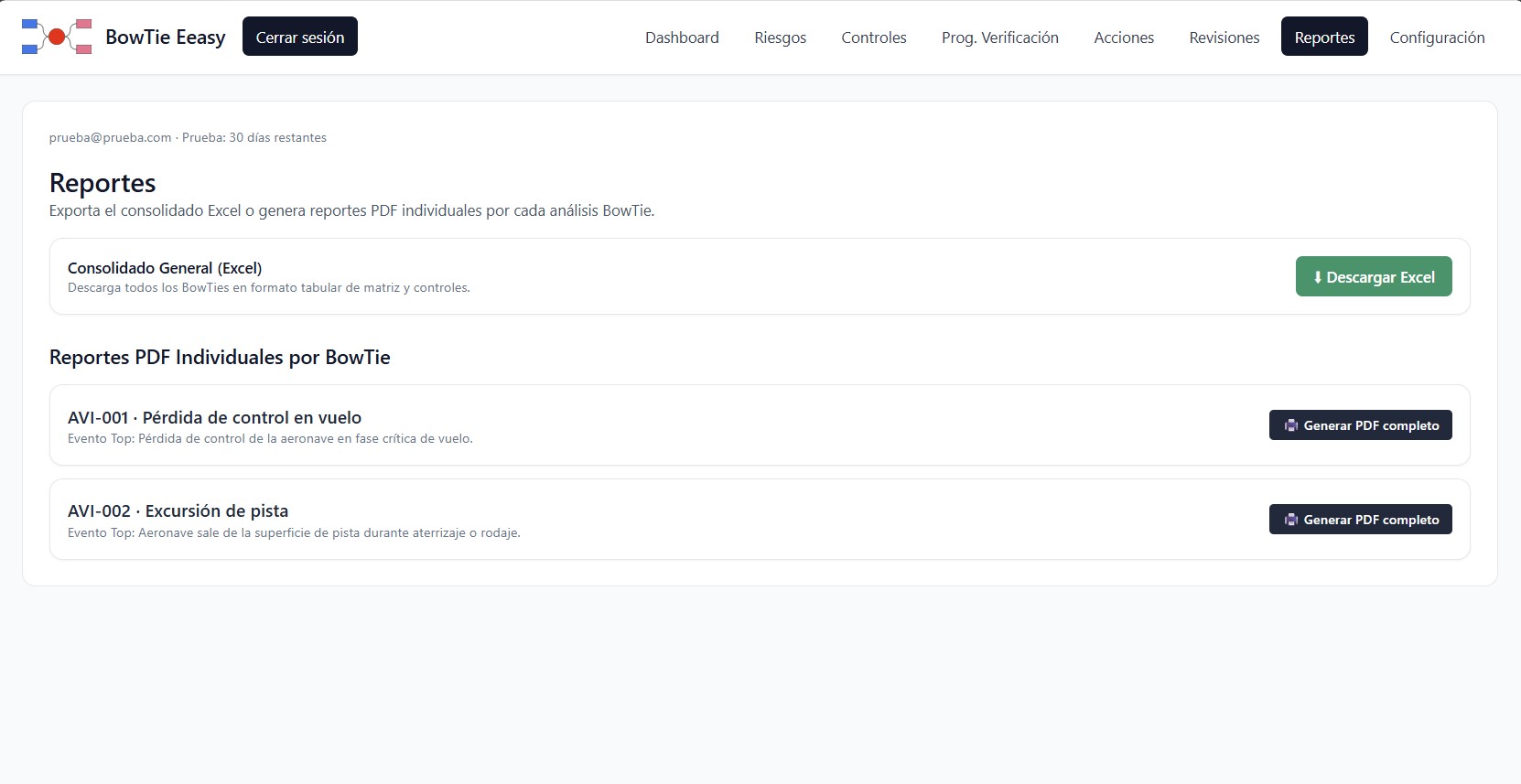
Full structured export of residual risk profiles, barrier health summaries, and fully configurable PAER consequence matrices ready for formal external scrutiny.
Executive reporting and audit documentation dossiers in BowTie Easy
Fig. 5 — Comprehensive executive report export with multi-scenario risk profiling.100% Client-Side Processing

Evaluate BowTie Easy on Your Facility Risk Models

Run your 30-day technical trial completely client-side in your browser. Validate LOPA sheets and barrier registers with your team with zero network data exposure.